
SkyCrown App for Australians Casino Players
We have a mobile platform with clear access to all the SkyCrown Casino features. Players can open pokies, live casino games, promotions, and account tools straight from the home screen. The SkyCrown app is web-based, also referred to as a Progressive Web App.
The software works on iOS, Android, Windows, and macOS. Installation follows the same steps on each device and does not require downloading a file from an app store. Game performance remains stable, while payments and withdrawals are handled in the same way as on the desktop version.
How to Use and Install on Android and iOS
Players can use our app to explore games and use all the features available on the desktop version. You can also easily deposit money, withdraw winnings, and claim bonuses. A PWA can be downloaded from your browser. Players can get the SkyCrown Casino app directly by Chrome, Safari, or any other browser, without downloading any files from the App/Play Stores. The mobile app mirrors the desktop site and here is how you can download the application:
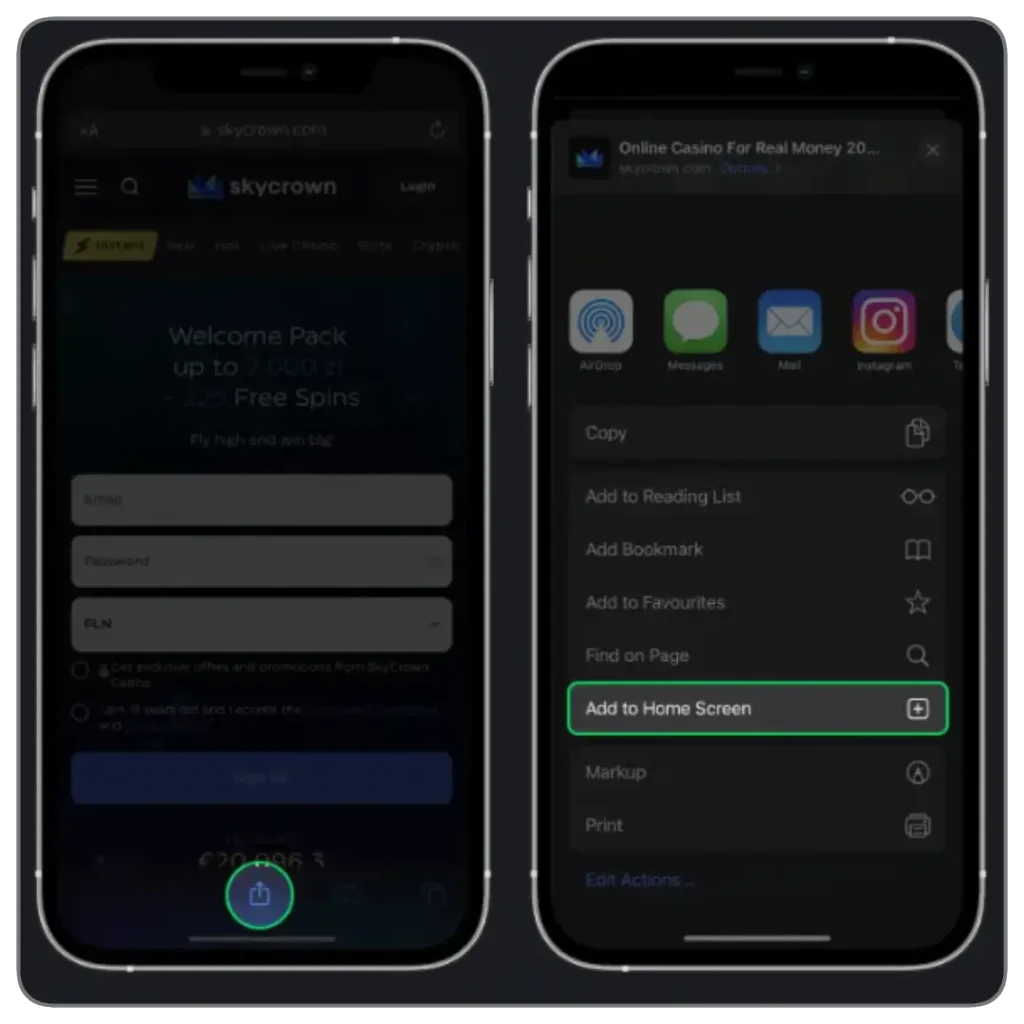
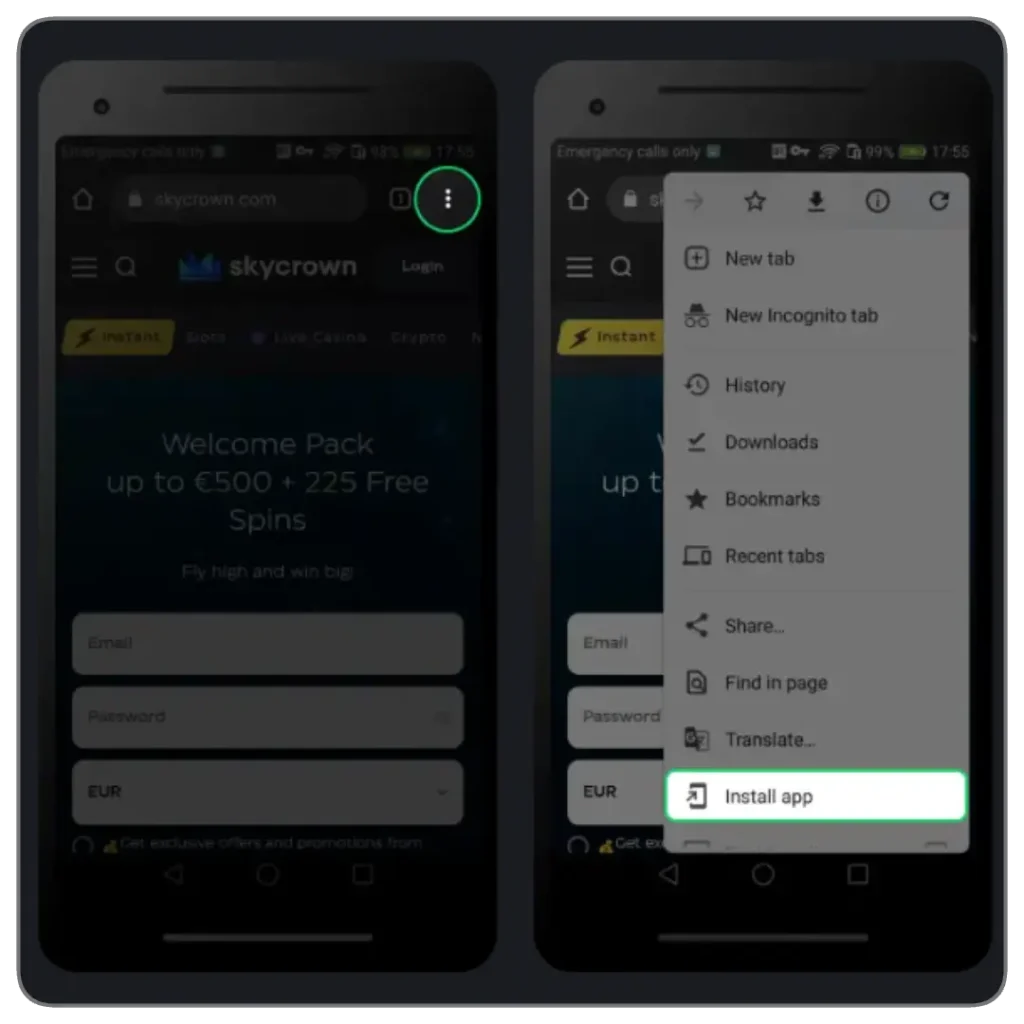
1: Open Site: Launch SkyCrown Casino in Safari (iOS) or Chrome (Android)
2: Access Menu: On iOS, tap Share; on Android, open the Chrome menu
3: Install Shortcut: Select “Add to Home Screen” or “Install App”
4: Launch App: Tap the new icon on your home screen to access SkyCrown instantly
Available Devices Types
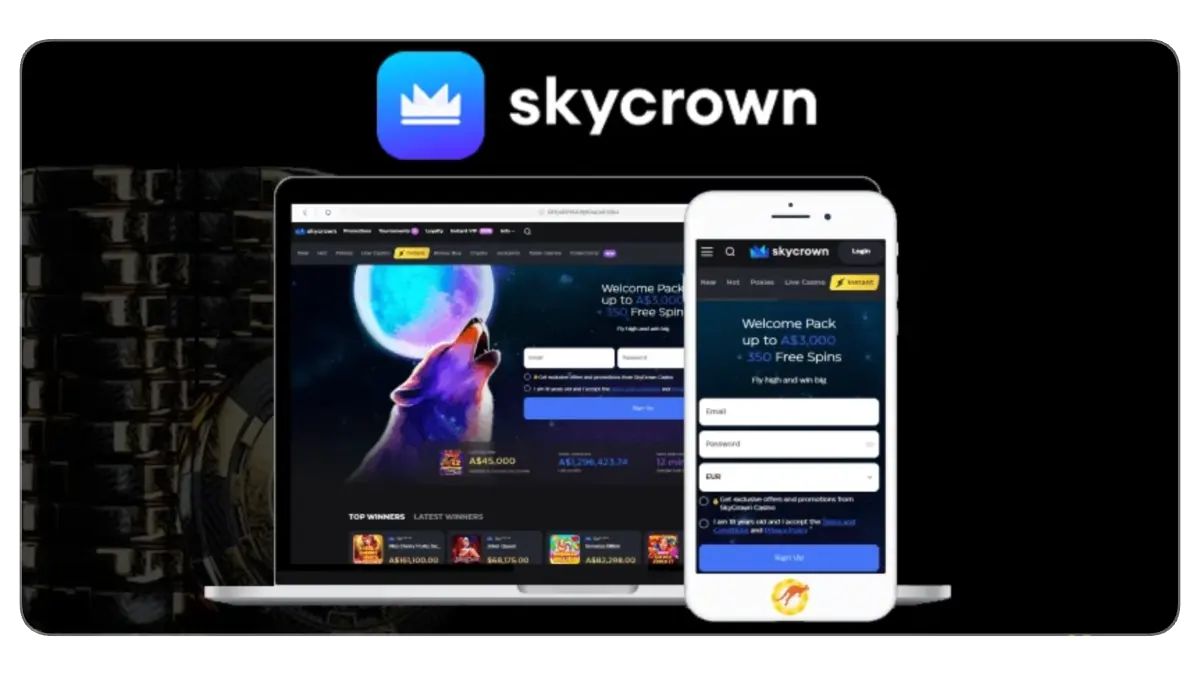
The SkyCrown platform is compatible with multiple devices. These include:
- Phones: Players with Android and iOS phones can install the SkyCrown Casino app for quicker access or play directly on the mobile browser. Compatible smartphones include iPhone 13-17, Samsung Galaxy series, Google Pixel, Huawei, and others
- Tablets: Users who prefer a bigger screen for immersive gameplay can access the site on their browsers or download the app. Supported tablets and iPads include iPad Mini, iPad Air, Lenovo IdeaTab, and Samsung Galaxy Tab
- Desktop or Personal Computer: SkyCrown is also available on Windows and macOS devices. You can access the site on your browser to get a webview layout
System Requirements for Sky Crown App
Our software works on almost every modern device as long as the browser and operating system are up to date. With mobile access, players can open slots, live casino games, and manage their accounts directly from their phone, tablet, or desktop. Here are the recommended requirements for the Casino Sky Crown app to perform optimally:
- SkyCrown app for iphone: Safari, iOS 12+
- SkyCrown casino app for android: Chrome, Android 8.0+
- RAM: 2 GB or more
- Storage: Minimal, since the PWA uses no large files
- Internet: 4G, 5G, or stable Wi-Fi
SkyCrown App Interface
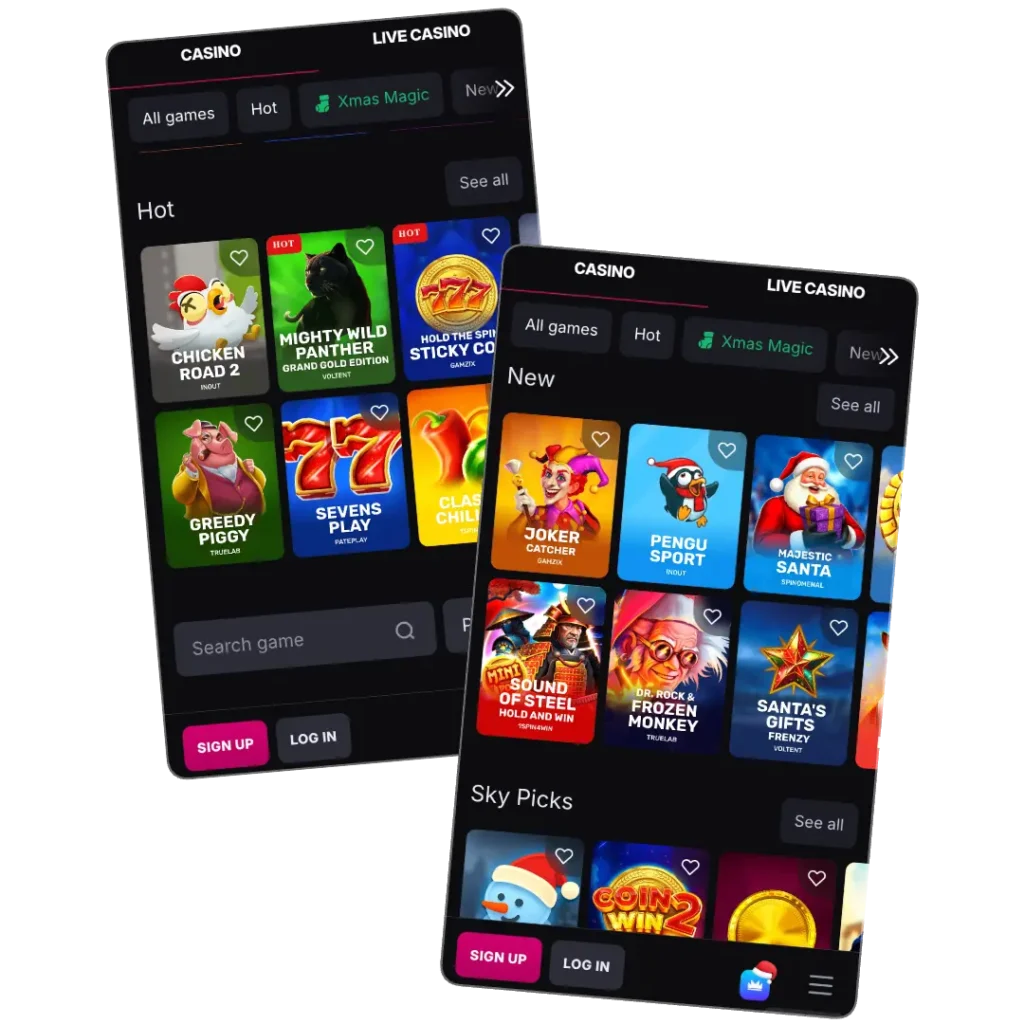
Our mobile interface is a window through which you can explore games, bonuses, and all other offers. When you open the app, you will notice our interface features a dark background and white font. All sections found on the desktop version appear here. Large navigation icons are shown at the top, while a fixed bottom menu gives direct access to the game lobby, promotions, payments, and account settings. Switching between sections works seamlessly.
The SkyCrown Casino app adapts automatically to different screen sizes. On smartphones, menus are displayed in a tight layout that keeps everything within reach of your thumb. On tablets and desktop webview versions, more space is available, and a wider game grid is featured. Making it easier to browse through multiple titles. Across devices pages load reliably in 1-2 seconds due to the lightweight PWA setup. The interface has the features needed to explore the platform, including the See All tab to load more games.
How to Play Mobile Games
Playing through the Casino SkyCrown mobile app requires only a few steps. From the lobby, players can move straight into slots or live games without navigating through additional menus. Here is how to play:
- Sign up or sign in: Open the SkyCrown Casino application and enter the lobby
- Pick a category: Select a category such as pokies, jackpots, or live tables
- Choose a game: Tap a game to load it
- Master the interface and place bets: Adjust the touch controls and your betting level. You can use various strategies, adjust your bets, and jump to another game
Features of the Casino SkyCrown App
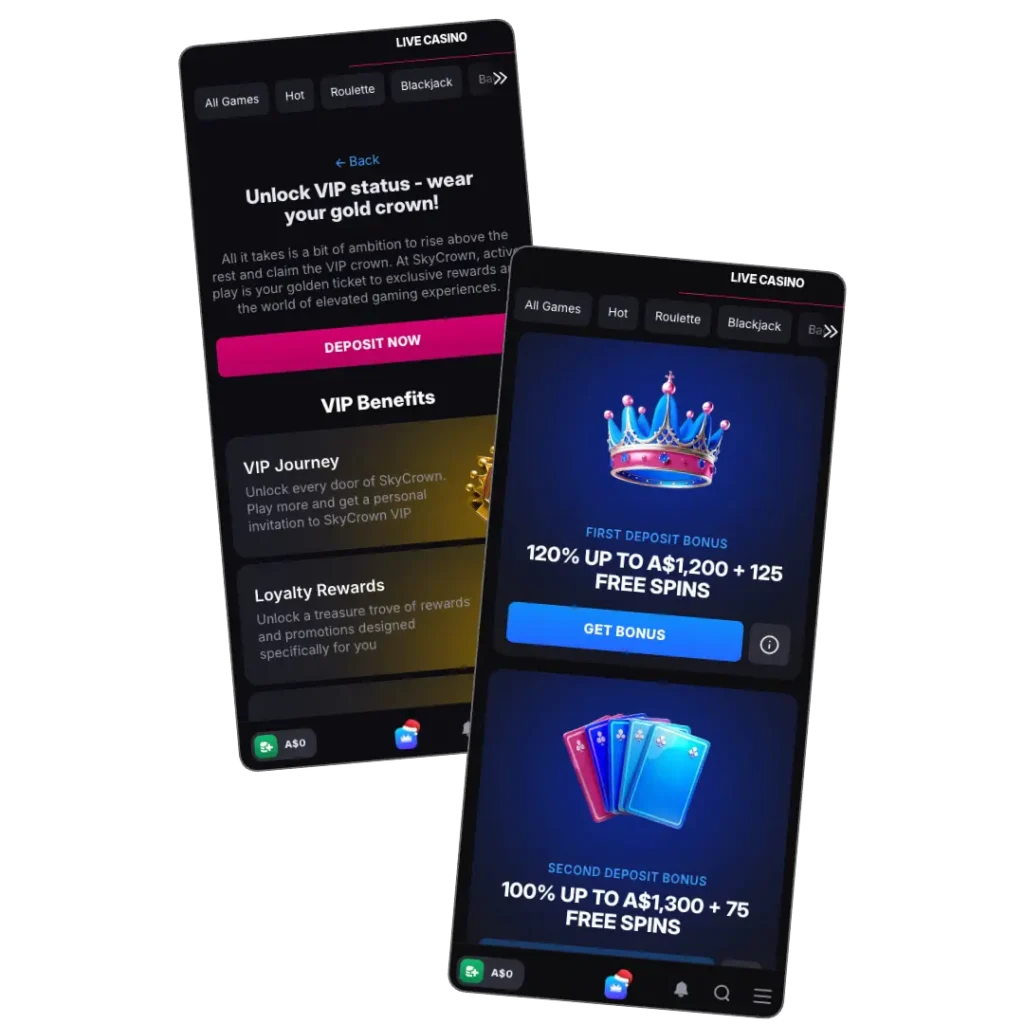
The mobile platform has all the features that you need to have the same or better casino adventure as desktop Aussie users. These include:
- One-tap home-screen access allows instant access to games and bonuses
- Full game library of 6,000+ pokies, live dealer, game shows, instant-win, and table games
- Touch-optimised controls for smooth play
- Auto-updating PWA structure, eliminating manual updates
- Fast loading on iOS and Android
- Secure platform with SSL AND TLS encryption
Security and Data Protection
Our Sky Crown Casino app runs as a Progressive Web App inside your web browser. This means all data is sent through secure HTTPS connections, and login details and payment information are encrypted while you play or manage your account.
We use advanced security measures like 128-bit SSL encryption and firewalls to protect your data. Your Sky Crown app is also protected by the extra security measures on your phone, including PIN and biometrics.
Bonuses for Mobile App Players
SkyCrown promotions can be used through the Sky Crown Casino app. The bonus section shows the current offers. A promotion is activated by entering a promo code during the deposit and meeting the minimum deposit requirement. Here are some of the offers:
| Offer | Details | Codes |
|---|---|---|
| Welcome Package | Up to A$4,000 + 400 free spins | BLISS, WINGS, FLYBIG, DAZZLE |
| Spin & Win Mondays | Up to 100 FS | MON |
| Unlimited Sunday Spins | Free spins | S50 |
| Highroller | Up to A$1,600 | HIGH5 |
| Midweek Magic | 50 FS or 50% reload | WED |
| Friday Fiesta | Up to 99 FS | FRI |
Pros and Cons
The SkyCrown app provides many benefits, like quick access to games. Let’s look at these benefits and potential cons:
| Pros | Cons |
|---|---|
| One-tap screen access, intuitive design, and responsive interface | Requires a stable internet connection |
| The full game library is available on the SkyCrown mobile app | Lacks mobile support |
| The PWA works on iOS, Android, Windows, and macOS | |
| Access to reloads, cashback, and other ongoing promotions |
FAQ
Is the SkyCrown mobile experience the same as the desktop version?
Yes, the mobile version of SkyCrown Casino offers a similar experience to the desktop platform, with all games, payment methods, and features available directly on your mobile device.
Can I play for real money on the SkyCrown mobile app?
Yes, you can play for real money on the SkyCrown mobile app. The platform supports various payment methods for deposits and withdrawals, ensuring players can enjoy seamless transactions on mobile.